

Marketing pages for web apps often feature a dashboard button in the header if you’re logged in. If you’re logged out, you see the standard Login button instead.
You can either go down the expensive route of skipping caching entirely for logged in users on these marketing pages. Yes, I’ve seen them. Or you grab the visitor’s login state, wether they are logged in or not, via an API call.
A common approach I see is hitting an API endpoint like /api/user and check if it returns valid or useful info. Some sites do this on every page load, while others cache it a little, but it still racks up too many calls.
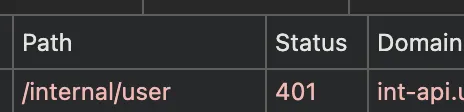
And think about it: it’s not just real users triggering these requests. Some bots do too, adding unnecessary load to the server.
My favorite solution to this issue is to skip the calls altogether and let the app handle the state via a simple cookie. It’s safe, it’s fast, it works.
Let’s say your marketing site is at www.my-app.com and the actual app lives at app.my-app.com.
You want to cache the marketing page aggressively, but still show the right button based on wether the user is logged in or not.
Most web frameworks do not simply broadcast the logged in state from the frontend. They just start a session and write the session id into a session cookie. But for this feature to work you need to put the login state into a separate cookie.
In my Laravel setup, I use a custom middleware to set a logged in state cookie with the same lifespan as the session. That way, when the session expires and the user logs out, the cookie expires as well.
The important part in this case with a subdomain for the app is: set the cookie domain to the top-level .my-app.com.
The dot prefix is to make cookies visible on all subdomains. Laravel does this automatically. Other frameworks may not.
// Define a middleware to handle the logged-in state as a cookie
// e.g., in app/Middleware/HandleLoggedInStateAsCookie.php
<?php declare(strict_types=1);

namespace App\Middleware;

use Illuminate\Http\Request;

class HandleLoggedInStateAsCookie
{
    public function handle(Request $request, \Closure $next)
    {
        $response = $next($request);

        if (auth()->check() && method_exists($response, 'cookie')) {
            // Create a cookie to indicate the user is logged in for the session duration
            // $name = null, $value = null, $minutes = 0, $path = null, $domain = null, $secure = null, $httpOnly = true, $raw = false, $sameSite = null
            $response->cookie(
                name: 'LoggedIn',
                value: 1,
                minutes: config('session.lifetime'),
                path: null,
                domain: '.my-app.com',
                secure: true,
                httpOnly: false, // important to access using javascript
            );
        } elseif (method_exists($response, 'cookie') && $request->hasCookie('LoggedIn')) {
            // Remove the cookie if the user is not logged in, but the cookie still exists (for example manual log out)
            $response->withoutCookie('LoggedIn');
        }

        return $response;
    }
}

// Then add the middleware to the global middleware stack in bootstrap/app.php
...
->withMiddleware(function (Middleware $middleware) {
    $middleware->web(
        append: [
            \App\Middleware\HandleLoggedInStateAsCookie::class,
        ],
    );

    // exclude the cookie from encryption to simply have "1" as a value,
    // and not a long encrypted string of "1" which increases the header size a little bit
    $middleware->encryptCookies(except: [
        'LoggedIn',
    ]);
});
Then, in your JavaScript, set a global flag by checking for the cookie:
window.isLoggedIn = document.cookie &&
                    document.cookie.indexOf('LoggedIn') !== -1;
Finally, in your template (say, with Alpine.js), use that flag to toggle elements:
<a href="/login" x-show="!isLoggedIn">
    Login
</a>
<a href="/admin" x-show="isLoggedIn">
    Dashboard
</a>
You could extend this to other states, like a shopping cart count or even some user preferences (like the user’s currency).
Nice by-product: now you’ve got a cookie you can use in Cloudflare Cache Rules or your Varnish config for conditional caching. Plus, you save that extra backend request, reducing server load even more.